

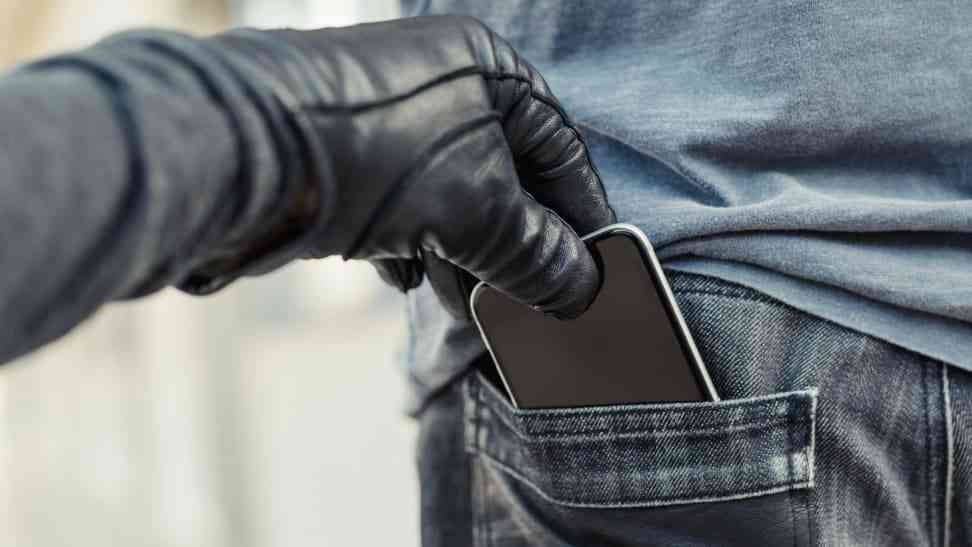
Has someone stolen money from your bank account after taking your phone? Or are you worried about keeping your money safe? This guide shows you exactly how thieves steal money through SIM cards and how to stop them.
What You'll Need
- Your phone
- Your SIM card
- Your phone's user manual (optional)
- Your bank's customer service number
The Scary Truth About SIM Card Theft
When thieves steal your phone, they don't need your passwords to empty your bank account 😱.
Here's how they do it:
Here's how they do it:
- SIM Card Removal: Once they have your SIM card, they can insert it into another phone. From there, they can try to reset your accounts by guessing your email or iCloud address.
- Finding Your Bank: After figuring out your email, they can find out which bank you use. They'll look for your banking app or website.
- Online Banking Access: Thieves can reset your banking password using the information they gathered. This is a tricky process, but it can be done.
- Getting Into Your Account: Once they reset your password, they can log into your bank account. They can also use cellphone banking by dialing codes (Those *737# etc).
- Transferring Your Money: Now that they have access, they can transfer your money. If your bank needs a verification code, it goes to the thief's phone because they control your SIM 💔.
- Delaying Your Recovery: While you're trying to recover your account, the thieves may already be cleaning out your funds. Your phone provider might even alert them about your attempts to swap your SIM 😭.
- Why Banks Don't Freeze Accounts: Most Banks usually don't call you. They send notifications instead. If the thief has your number, they can verify transactions without a problem.
How to Prevent Your Bank Accounts From Getting Hacked
Method 1: Set Up a SIM Lock (The Simplest Protection)
A SIM lock is like a password for your SIM card. Here's how to set it up:
For iPhone:
- Go to Settings
- Tap "Cellular" or "Mobile Data"
- Tap "SIM PIN"
- Turn on "SIM PIN"
- Enter the default PIN (usually 1234 or 0000)
- Change it to your own PIN
For Android:
- Open Settings
- Tap "Security" or "Biometrics and Security"
- Find "SIM card lock" or "Set up SIM card lock"
- Turn on "Lock SIM card"
- Enter the default PIN
- Create your own PIN
Important: Remember your PIN! After 3 wrong tries, your SIM card will lock and need a PUK code from your carrier.
Method 2: Switch to an e-SIM (The Strongest Protection)
An e-SIM is built into your phone and can't be stolen. Here's how to get one:
- Check if your phone supports e-SIM
- Call your mobile carrier
- Ask to switch to e-SIM
- Follow their setup instructions
Method 3: Secure Your Banking Apps
Add extra protection to your banking:
- Use app locks
- Enable two-factor authentication
- Set up biometric login (fingerprint/face)
- Use strong, unique passwords
- Never save banking passwords on your phone
Warning Signs of SIM Card Fraud
Watch out for:
- No cell service suddenly
- Can't make calls or send texts
- Strange banking app notifications
- Password reset emails you didn't request
What to Do If Your Phone Is Stolen
Act super fast with these steps:
- Call your bank immediately to freeze accounts
- Contact your mobile carrier to block the SIM
- Change all important passwords
- Report the theft to police
- Monitor your accounts for suspicious activity
Expert Tips
- Keep your PUK code written down somewhere safe
- Never share your SIM PIN with anyone
- Use different PINs for your SIM and phone
- Back up important data regularly
- Keep emergency contact numbers written down
When to Get Help
Contact authorities if:
- Your money has been stolen
- You suspect fraud
- Your identity might be compromised
- You can't access your accounts
Safety Notes
- SIM lock PINs are different from phone PINs
- Keep proof of your phone's IMEI number
- Regular security updates are important
- Report all financial fraud to your bank










Be the first to show love! 🚀
Start something amazing - your support inspires creators!